UNESCO Site, Dubrovnik Old Town, Croatia
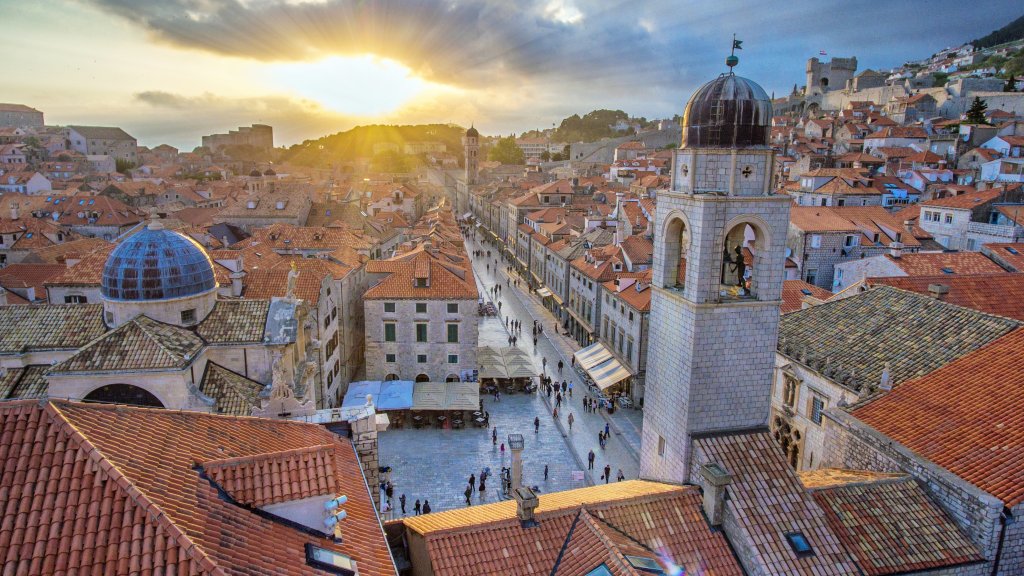
Sign in to add this photo to your favorites and desktop wallpaper rotation.
Dubrovnik Old Town, located in Croatia, is a historic and picturesque area renowned for its well-preserved medieval architecture and stunning coastal views. Often referred to as the "Pearl of the Adriatic," it is a UNESCO World Heritage Site and a popular tourist destination. The Old Town is encircled by massive stone walls, which were constructed between the 11th and 17th centuries to protect the city from invaders. These walls are among the best-preserved fortifications in Europe and offer visitors a chance to walk along them, providing breathtaking views of the Adriatic Sea and the city below. Inside the Old Town, the streets are lined with limestone-paved pedestrian walkways, and the architecture reflects a mix of Gothic, Renaissance, and Baroque styles. Notable landmarks include the Rector's Palace, a stunning example of Gothic-Renaissance architecture; the Sponza Palace, which houses the city archives; and the Dubrovnik Cathedral, known for its impressive treasury. The Stradun, the main street of the Old Town, is a lively area filled with shops, cafes, and restaurants, offering a taste of local cuisine and culture. The Old Town is also famous for its role as a filming location for the television series "Game of Thrones," which has attracted many fans to the area. In addition to its historical and cultural significance, Dubrovnik Old Town hosts various festivals and events throughout the year, including the Dubrovnik Summer Festival, which features music, theater, and dance performances. Overall, Dubrovnik Old Town is a captivating destination that combines history, culture, and natural beauty, making it a must-visit location for travelers exploring Croatia.