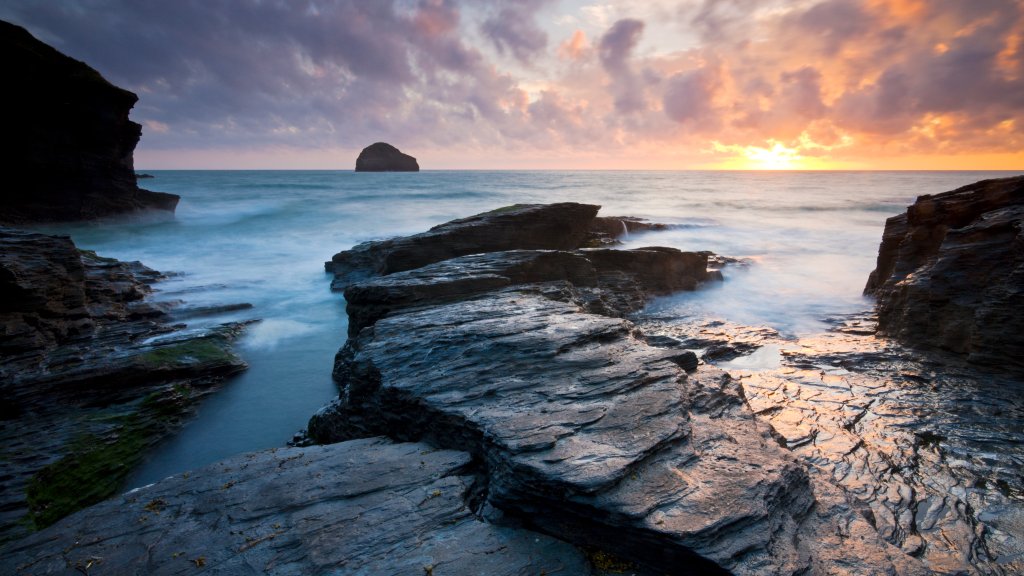
Trebarwith Strand, Gull Rock, Cornwall, UK
Sign in to add this photo to your favorites and desktop wallpaper rotation.
Trebarwith Strand is a picturesque coastal location situated in North Cornwall, United Kingdom. It is renowned for its stunning natural beauty, featuring a sandy beach that is popular with both locals and tourists. The beach is surrounded by rugged cliffs and offers breathtaking views of the Atlantic Ocean. One of the most notable features of Trebarwith Strand is Gull Rock, a prominent rocky outcrop that rises from the sea just offshore. This iconic landmark adds to the dramatic scenery and is a favorite subject for photographers and artists. The area is popular for various outdoor activities, including surfing, rock pooling, and coastal walks. The South West Coast Path runs through Trebarwith Strand, providing hikers with spectacular views and the opportunity to explore the surrounding landscape. The beach is accessible at low tide, revealing a wide expanse of sand, but it can become completely submerged during high tide, so visitors need to be mindful of the tide times. Trebarwith Strand also has a small selection of amenities, including a café and a pub, where visitors can enjoy refreshments while taking in the views. The natural beauty and tranquility of the area make it a popular destination for those looking to experience the rugged charm of Cornwall's coastline.