Bamberg, Germany
Sign in to add this photo to your favorites and desktop wallpaper rotation.
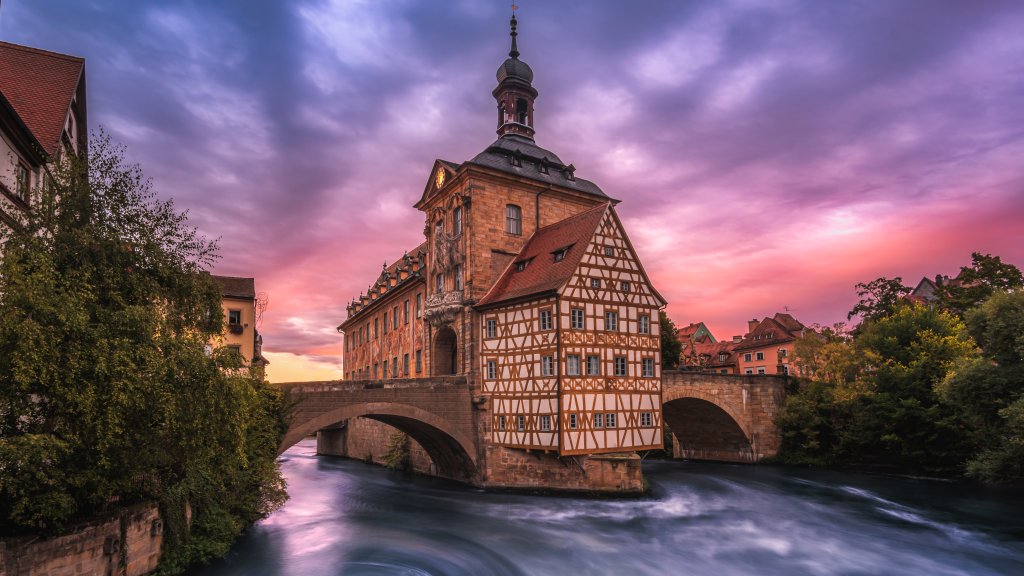
Bamberg is a picturesque town located in the Upper Franconia region of Bavaria, Germany. Known for its well-preserved medieval architecture, Bamberg is a UNESCO World Heritage Site, recognized for its historical significance and beauty. The town is situated on seven hills, each crowned with a church, which has led to its nickname as the "Franconian Rome." One of Bamberg's most notable features is its Old Town, which showcases a blend of Romanesque, Gothic, Renaissance, and Baroque architecture. The Bamberg Cathedral, a stunning example of late Romanesque architecture, houses the tombs of Emperor Henry II and Pope Clement II. Another iconic landmark is the Altes Rathaus, or Old Town Hall, which is uniquely positioned on an island in the Regnitz River and is famous for its intricate frescoes. Bamberg is also renowned for its brewing tradition, with a rich history of beer production that dates back to the 11th century. The town is home to several breweries, including the famous Schlenkerla, known for its distinctive smoked beer, or "Rauchbier." Culturally, Bamberg offers a variety of museums, theaters, and festivals, contributing to a vibrant arts scene. The town's university, Otto-Friedrich University, adds to its lively atmosphere, attracting students from around the world. Overall, Bamberg is celebrated for its charming streets, historical landmarks, and cultural richness, making it a popular destination for tourists and a beloved home for its residents.