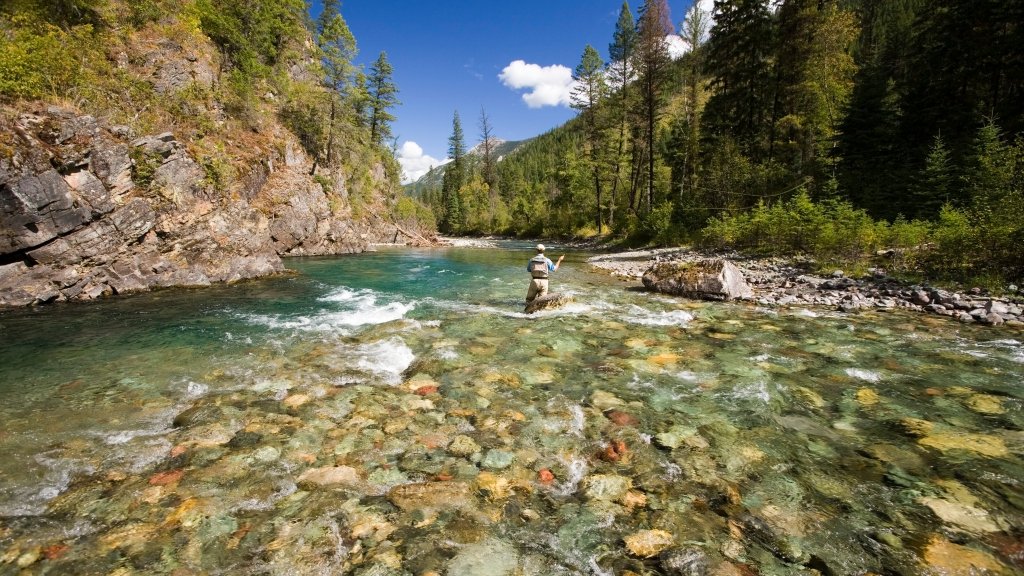
Elk River, East Kootenays, BC, Canada
Sign in to add this photo to your favorites and desktop wallpaper rotation.
Elk River is a prominent waterway located in the East Kootenays region of British Columbia, Canada. It originates in the Canadian Rockies near the Continental Divide and flows southward through the Elk Valley, eventually joining the Kootenay River. The river is approximately 220 kilometers (about 137 miles) long and is known for its stunning natural beauty, surrounded by rugged mountain landscapes and dense forests. The Elk River is a popular destination for outdoor enthusiasts, offering a variety of recreational activities. It is particularly renowned for fly fishing, with anglers flocking to the river to catch species such as cutthroat trout and bull trout. The river's clear waters and diverse aquatic habitats make it an ideal spot for fishing. In addition to fishing, the Elk River area provides opportunities for hiking, camping, and wildlife viewing. The surrounding region is home to a rich array of wildlife, including elk, deer, bears, and numerous bird species. The river and its valley are also part of a critical wildlife corridor, supporting biodiversity and ecological health in the region. Communities along the Elk River, such as Fernie, Sparwood, and Elkford, offer amenities and services for visitors. Fernie, in particular, is a well-known destination for outdoor sports, including skiing and mountain biking, in addition to river-related activities. The Elk River is not only a natural treasure but also an important resource for the local economy, supporting tourism and recreation industries. Conservation efforts are in place to protect the river's ecological integrity and ensure that it remains a vibrant and sustainable environment for future generations.