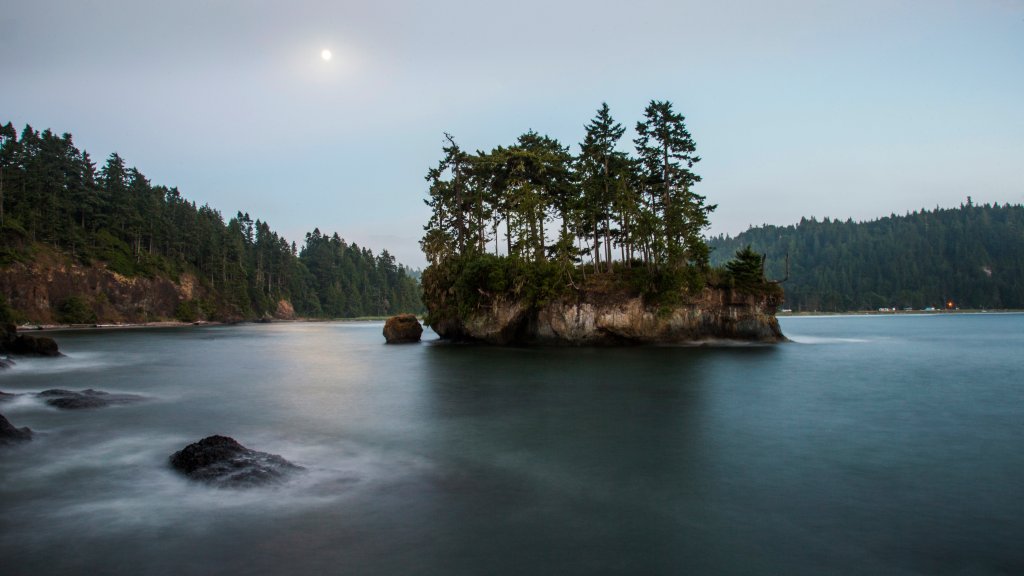
Salt Creek Recreation Area, Olympic Peninsula, Washington
Sign in to add this photo to your favorites and desktop wallpaper rotation.
Salt Creek Recreation Area is a popular outdoor destination located on the Olympic Peninsula in Washington State, near the city of Port Angeles. This area is known for its stunning natural beauty, offering panoramic views of the Strait of Juan de Fuca and the surrounding mountains. It is a favorite spot for both locals and tourists seeking outdoor activities and relaxation. The recreation area covers approximately 196 acres and features a variety of amenities and attractions. Visitors can enjoy camping, with sites available for tents and RVs, many of which offer scenic views of the water. The campground is well-equipped with facilities such as restrooms, showers, and picnic areas. Salt Creek Recreation Area is also renowned for its tide pools, which are teeming with marine life. During low tide, visitors can explore these pools and observe a variety of sea creatures, including starfish, anemones, and crabs. The area is part of the larger Tongue Point Marine Sanctuary, which helps protect its diverse marine ecosystem. In addition to tide pooling, the area offers opportunities for hiking, with several trails that wind through lush forests and along the coastline. The most notable trail is the Striped Peak Trail, which provides a moderately challenging hike with rewarding views from the summit. For those interested in history, the area has remnants of World War II-era bunkers and gun emplacements, as it was once a military defense site. These historical features add an intriguing element to the natural landscape. Overall, Salt Creek Recreation Area is a versatile destination that caters to a wide range of outdoor interests, making it an ideal spot for nature lovers, families, and adventure seekers.