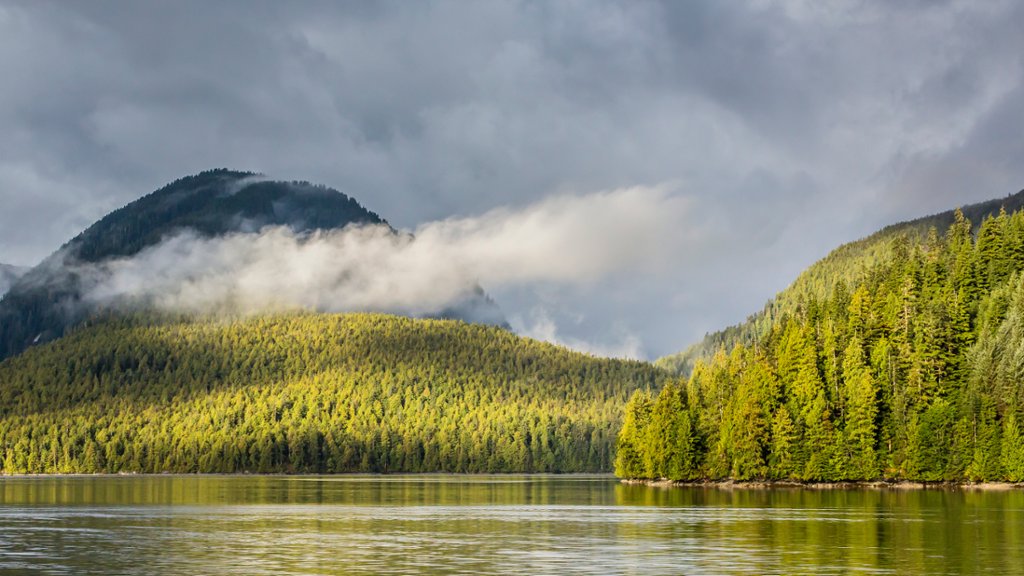
Forest Near Juneau, Alaska
Sign in to add this photo to your favorites and desktop wallpaper rotation.
Juneau is the capital city of Alaska, located in the southeastern part of the state. It is the second largest city in Alaska, with a population of around 32,000 residents. Juneau is known for its stunning natural beauty, with mountains, glaciers, and waterways surrounding the city. One of the most popular attractions in Juneau is the Mendenhall Glacier, which is located just outside the city and can be accessed by road or hiking trails. Visitors can take guided tours of the glacier or explore on their own. Another popular outdoor activity in Juneau is whale watching, as the area is known for its abundant marine wildlife. In addition to its natural attractions, Juneau is home to several cultural and historical sites, including the Alaska State Museum, the Alaska State Capitol building, and the iconic Red Dog Saloon. The city also has a thriving arts and music scene, with galleries, theaters, and live music venues throughout the city. Juneau is a popular destination for outdoor enthusiasts, with opportunities for hiking, fishing, kayaking, and wildlife viewing. The city also serves as a gateway to the rest of Alaska, with ferry and air connections to other parts of the state. Overall, Juneau offers a unique blend of natural beauty, cultural attractions, and outdoor activities that make it a popular destination for visitors to Alaska.