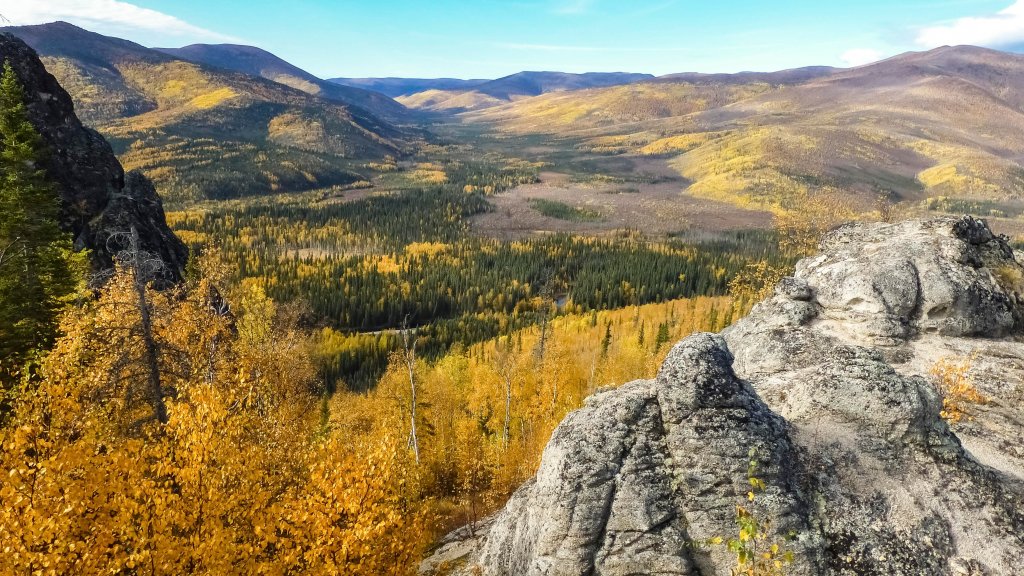
Angel Rocks Trail, Chena River State Park, Alaska
Sign in to add this photo to your favorites and desktop wallpaper rotation.
Angel Rocks Trail is a popular hiking destination located within Chena River State Recreation Area in Alaska. This trail offers a scenic and moderately challenging hike, attracting both locals and tourists who are eager to experience the natural beauty of the Alaskan wilderness. The trail is approximately 3.5 miles round trip if you hike to the Angel Rocks and back. For those looking for a longer trek, the trail can be extended to a loop that connects with the Chena Hot Springs Trail, making it about 8.3 miles. The hike features a variety of landscapes, including lush forests, rocky outcrops, and stunning views of the surrounding valleys and mountains. One of the highlights of the Angel Rocks Trail is the unique rock formations that give the trail its name. These large granite outcrops are the result of millions of years of geological processes and provide excellent opportunities for photography and exploration. Hikers can climb to the top of these rocks for panoramic views of the area. The trail is generally considered moderate in difficulty, with some steep and rocky sections that require careful navigation. It is well-marked, but hikers should be prepared for changing weather conditions and carry adequate supplies, including water, snacks, and appropriate clothing. Wildlife is abundant in the area, and hikers may encounter animals such as moose, bears, and various bird species. It's important to practice bear safety and be aware of your surroundings. The Angel Rocks Trail is accessible year-round, though conditions can vary significantly between seasons. In summer, the trail is lush and green, while in winter, it can be covered in snow, offering a different kind of adventure for snowshoeing or cross-country skiing enthusiasts. Overall, Angel Rocks Trail is a must-visit for those looking to experience the natural beauty and rugged terrain of Alaska's interior.