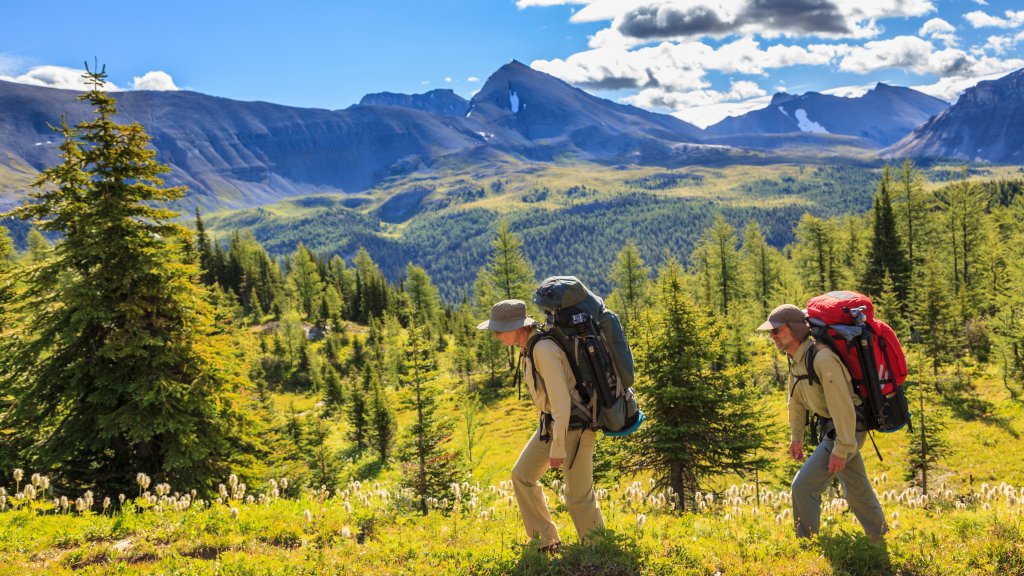
Two Backpackers, Citadel Pass Trail, Banff NP, Canada
Sign in to add this photo to your favorites and desktop wallpaper rotation.
The Citadel Pass Trail is a scenic hiking route located in the Canadian Rockies, primarily within Banff National Park and Mount Assiniboine Provincial Park. This trail is renowned for its stunning alpine landscapes, diverse wildlife, and breathtaking views of the surrounding mountains. The trail typically starts at Sunshine Village, a ski resort near Banff, and extends to Mount Assiniboine, often referred to as the "Matterhorn of the Rockies" due to its distinctive pyramid shape. Hikers on the Citadel Pass Trail can expect to traverse a variety of terrains, including lush meadows, dense forests, and rocky alpine areas. The trail offers panoramic views of the surrounding peaks, including notable landmarks like Mount Assiniboine and the Monarch Ramparts. Along the way, hikers may encounter a range of wildlife, such as marmots, mountain goats, and occasionally bears, so it's important to be prepared and follow safety guidelines. The trail is considered moderately challenging, with some steep sections and a significant elevation gain. It is typically hiked during the summer months when the snow has melted, and the weather is more favorable. Many hikers choose to extend their journey by continuing to Mount Assiniboine Lodge or by camping in the backcountry, which requires proper permits and preparation. Overall, the Citadel Pass Trail offers a rewarding experience for those seeking adventure and natural beauty in the Canadian Rockies. It's important for hikers to be well-prepared, carry adequate supplies, and be aware of the weather conditions and potential wildlife encounters.