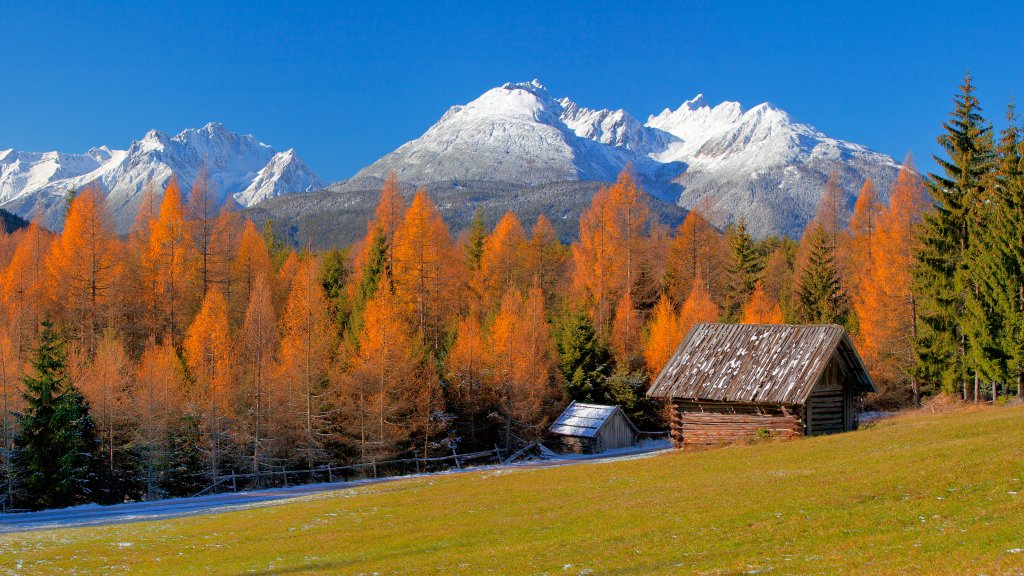
Mieminger Plateau, Lechtal Alps, Austria
Sign in to add this photo to your favorites and desktop wallpaper rotation.
The Mieminger Plateau is a picturesque region located in the Tyrol state of Austria, nestled within the Lechtal Alps. This area is renowned for its stunning natural beauty, offering a serene and idyllic landscape characterized by lush meadows, dense forests, and dramatic mountain backdrops. The plateau is situated at an elevation that provides breathtaking views of the surrounding peaks and valleys, making it a popular destination for outdoor enthusiasts. The Lechtal Alps, part of the Northern Limestone Alps, are known for their rugged terrain and striking limestone formations. The region offers a variety of outdoor activities, including hiking, mountain biking, and climbing during the warmer months, and cross-country skiing and snowshoeing in the winter. The diverse trails cater to all levels of experience, from leisurely walks to challenging alpine routes. The Mieminger Plateau is also home to several charming villages, where visitors can experience traditional Tyrolean culture and hospitality. These villages often feature quaint architecture, local cuisine, and cultural events that provide insight into the region's rich heritage. Overall, the Mieminger Plateau and the Lechtal Alps offer a perfect blend of natural beauty, outdoor adventure, and cultural experiences, making it a must-visit destination for those exploring the Austrian Alps.