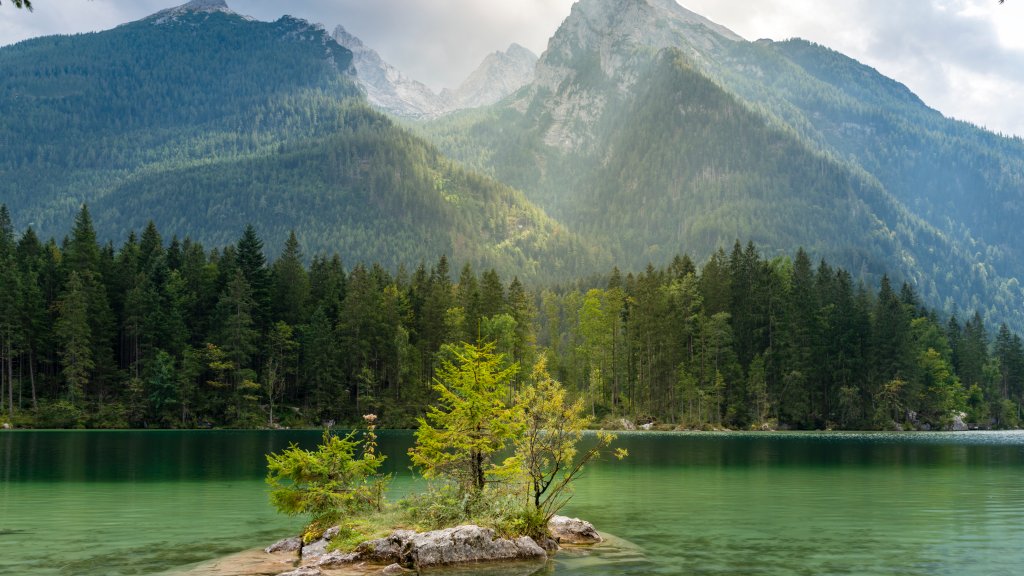
Hintersee Lake, Hochkalter, Berchtesgaden NP, Germany
Sign in to add this photo to your favorites and desktop wallpaper rotation.
Hintersee Lake is a picturesque alpine lake located near the town of Ramsau in the Berchtesgadener Land district of Bavaria, Germany. It is situated at the foot of the Hochkalter mountain range and is part of the Berchtesgaden National Park, a protected area known for its stunning natural beauty and diverse ecosystems. Hintersee Lake is renowned for its crystal-clear waters, which reflect the surrounding mountains and forests, creating a serene and idyllic landscape. The lake is relatively small, making it an ideal spot for leisurely walks and nature photography. There are several well-maintained trails around the lake, offering visitors the chance to enjoy the peaceful environment and take in the breathtaking views. The Hochkalter mountain, part of the Berchtesgaden Alps, is a prominent feature in the area and provides a dramatic backdrop to Hintersee Lake. It is a popular destination for hikers and climbers, offering challenging routes and rewarding vistas from its summit. Berchtesgaden National Park, where Hintersee Lake is located, is a haven for outdoor enthusiasts. The park is home to diverse flora and fauna, including rare and protected species. Visitors can explore numerous hiking trails, enjoy birdwatching, and experience the tranquility of unspoiled nature. Overall, Hintersee Lake, with its stunning natural surroundings and proximity to the Hochkalter mountain and Berchtesgaden National Park, offers a perfect escape for those seeking relaxation and adventure in the heart of the Bavarian Alps.