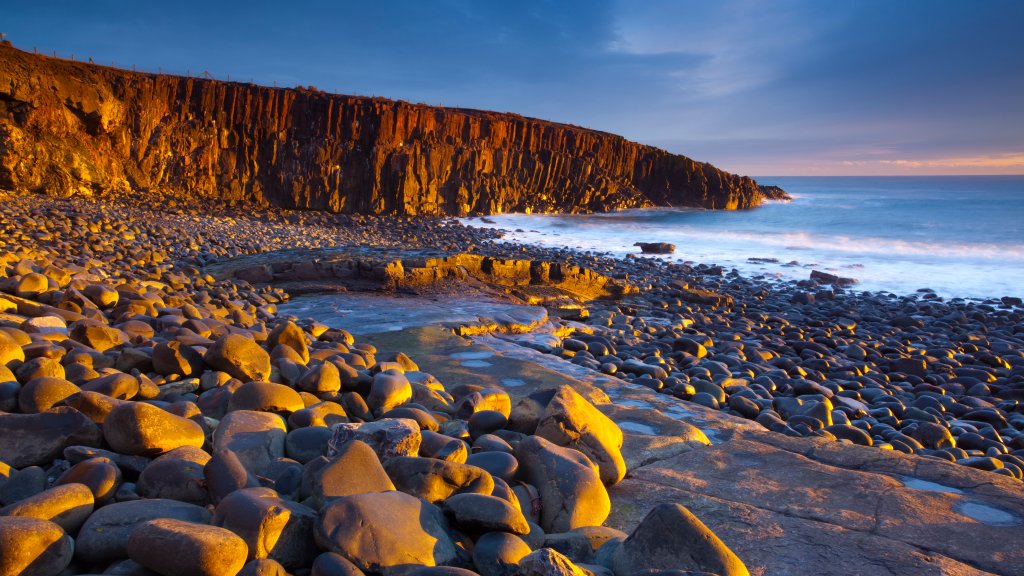
Cullernose Point, Northumberland Heritage Coast. UK
Sign in to add this photo to your favorites and desktop wallpaper rotation.
Cullernose Point is a striking coastal feature located along the Northumberland Heritage Coast in the northeast of England. This area is renowned for its dramatic cliffs and rugged coastline, offering stunning views of the North Sea. Cullernose Point is particularly notable for its geological formations, which include basalt columns similar to those found at the famous Giant's Causeway in Northern Ireland. These formations are the result of ancient volcanic activity and provide a unique landscape that attracts both geologists and tourists. The Northumberland Heritage Coast, where Cullernose Point is situated, is designated as an Area of Outstanding Natural Beauty (AONB). This designation helps protect the area's natural beauty and biodiversity. The coastline is home to a variety of wildlife, including seabirds such as puffins, kittiwakes, and guillemots, making it a popular spot for birdwatching. The surrounding area also offers opportunities for walking and hiking, with several trails providing access to the coastal scenery. Cullernose Point is located near the village of Craster, which is famous for its smoked kippers. Visitors to the area can enjoy exploring the charming village and sampling local seafood. The proximity of Cullernose Point to other attractions, such as Dunstanburgh Castle and the picturesque beaches of the Northumberland coast, makes it a worthwhile destination for those exploring the region. The combination of natural beauty, geological interest, and cultural heritage makes Cullernose Point a notable feature of the Northumberland Heritage Coast.