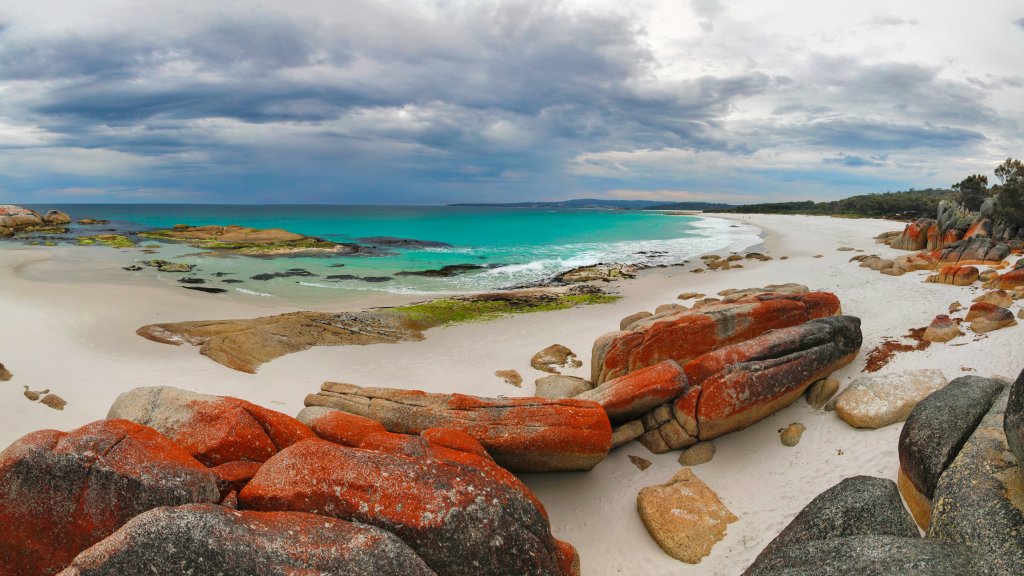
Bay of Fires, Tasmania, Australia
Sign in to add this photo to your favorites and desktop wallpaper rotation.
The Bay of Fires is a stunning coastal region located on the northeastern coast of Tasmania, Australia. It is renowned for its pristine white sandy beaches, crystal-clear turquoise waters, and distinctive orange-hued granite boulders, which are covered in lichen. The vibrant colors and natural beauty make it a popular destination for tourists and nature enthusiasts. The Bay of Fires stretches over approximately 50 kilometers from Binalong Bay in the south to Eddystone Point in the north. It was named by Captain Tobias Furneaux in 1773, who observed numerous Aboriginal fires along the coast as he sailed past. The area is part of the Mount William National Park and offers a range of outdoor activities such as swimming, snorkeling, surfing, and kayaking. It is also a great spot for hiking and birdwatching, with various trails and abundant wildlife. Accommodation options in the Bay of Fires area range from campgrounds and eco-friendly lodges to luxury retreats, catering to different preferences and budgets. The region is also known for its rich cultural history, with evidence of Aboriginal habitation dating back thousands of years. Overall, the Bay of Fires is celebrated for its breathtaking landscapes and tranquil environment, making it a must-visit destination for those exploring Tasmania.